System Alert
System Alert는 사용자가 직접 등록하지 않아도 시스템이 자동으로 감지하는 고정 알람입니다. 연결 끊김, 상태 이상 등 대상 유형별로 정해진 조건을 감지합니다.
좌측 GNB 하단 Profile 아이콘을 클릭한 뒤 환경설정을 선택하고, 좌측 메뉴에서 Alert > System Alert를 선택하세요.
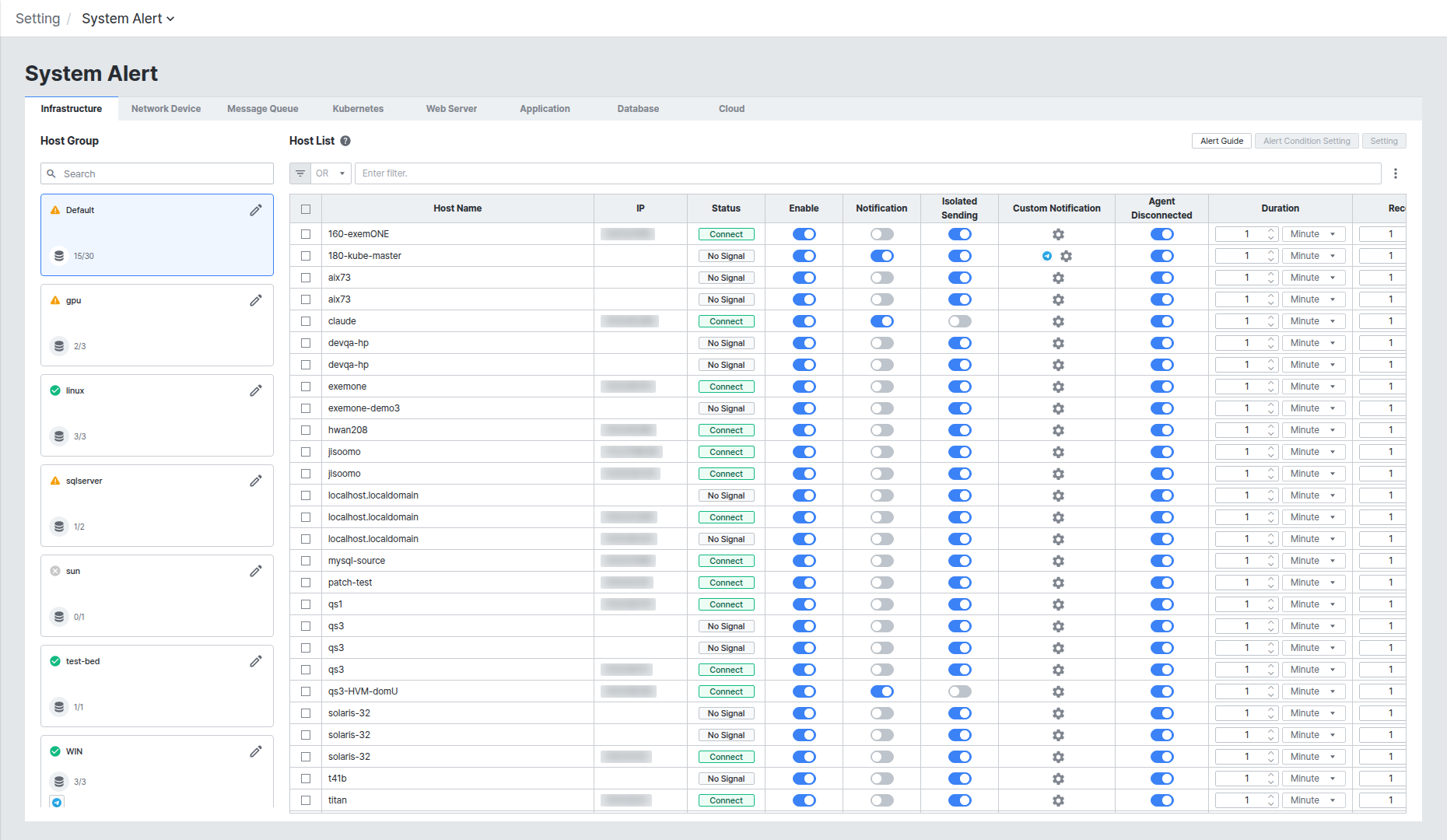
화면 상단은 Infrastructure, Network Device, Message Queue, Kubernetes, Web Server, Application, Database, Cloud 여덟 개 탭으로 구성되며, 각 탭 안에서 좌측 Group과 우측 List 두 영역으로 나뉩니다.
대상 유형별 알람 조건 확인하기
탭을 전환하면 해당 대상 유형에서 감지하는 고정 알람 항목이 List 그리드의 컬럼으로 표시됩니다. 예를 들어 Database 탭에서는 DB Disconnected, Lazy Query Execution, Agent Disconnected 세 가지 알람 조건을 확인할 수 있습니다.
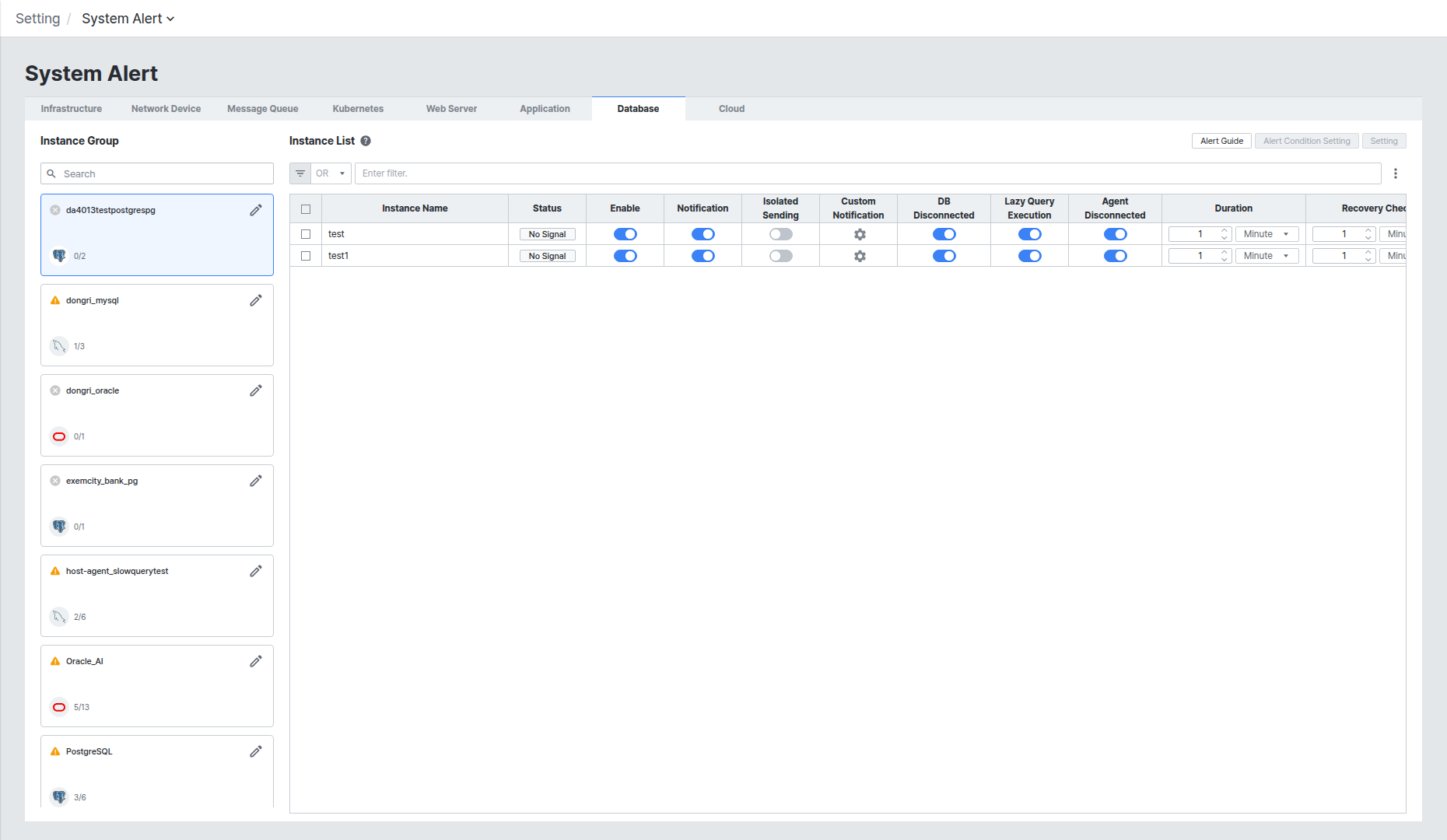
대분류별 알람 조건은 다음과 같습니다.
| 대분류 | 알람 조건 | 판단 근거 |
|---|---|---|
| Infrastructure | Disconnect | 에이전트와 수집서버의 연결 종료 |
| Network Device | Icmp check | ICMP 응답하지 않는 경우 |
| Network Device | Up/Down | 네트워크 인터페이스의 연결 해제된 경우 |
| Message Queue | Agent Disconnected | 에이전트와 수집서버의 연결 종료 |
| Message Queue | Cluster Disconnected | 클러스터와 연결 해제된 경우 |
| Message Queue | Broker Disconnected | 브로커와 연결 해제된 경우 |
| Kubernetes | Warning Event | 수집된 이벤트 데이터의 Involved Object가 해당 노드이고 Type이 Warning인 경우 |
| Kubernetes | Not Ready | 수집된 해당 노드 데이터의 conditions에 Ready가 없을 경우 |
| Kubernetes | Not Schedulable | 수집된 해당 노드 데이터의 conditions에 SchedulingDisabled 혹은 Unschedulable이 포함된 경우 |
| Web Server | Agent Disconnected | 에이전트와 수집서버의 연결 종료 |
| Web Server | Web Server Disconnected | Web Server와 연결 해제된 경우 |
| Application | Disconnect | 에이전트와 수집서버의 연결 종료 |
| Application | Out of Memory | Application의 Out of Memory 이벤트 발생 |
| Database | DB Disconnected | 타겟 DB의 연결 확인 |
| Database | Agent Disconnected | Agent ↔ Receiver 연결 확인 |
| Database | Lazy Query Execution | 타겟 DB에 대한 수집 쿼리 지연 |
| Cloud | Cloud Disconnected | 대상 연결 확인 |
| Cloud | API Timeout Call | Cloud Metric 수집 API 응답 지연 |
| Cloud | Agent Disconnected | Agent ↔ Receiver 연결 확인 |
List에서 알람 수신 여부 설정하기
List 그리드에서는 대상(Host/Instance 등)별로 아래 항목을 개별 제어할 수 있습니다.
- Enable: 해당 대상의 System Alert 감지 여부를 토글로 제어합니다.
- Notification: 그룹 알림 채널 수신 여부를 토글로 제어합니다.
- Isolated Sending: 활성화하면 그룹 알림 대신 Custom Notification이 적용됩니다.
- Duration / Recovery Check: 알람 조건이 유지되어야 하는 시간과, 정상 복구를 판단하는 확인 주기입니다.
Custom Notification과 그룹 Notification 설정 방법은 Alert Notification Setting 문서를 참고하세요.
Rule Alert List에서 발생 이력 확인하기
설정 위치: Alert > Rule Alert List
User Alert, System Alert, External Alert에 등록된 모든 룰과 발생 현황은 좌측 GNB Alert 아이콘의 Rule Alert List 화면에서 한 번에 확인할 수 있습니다.
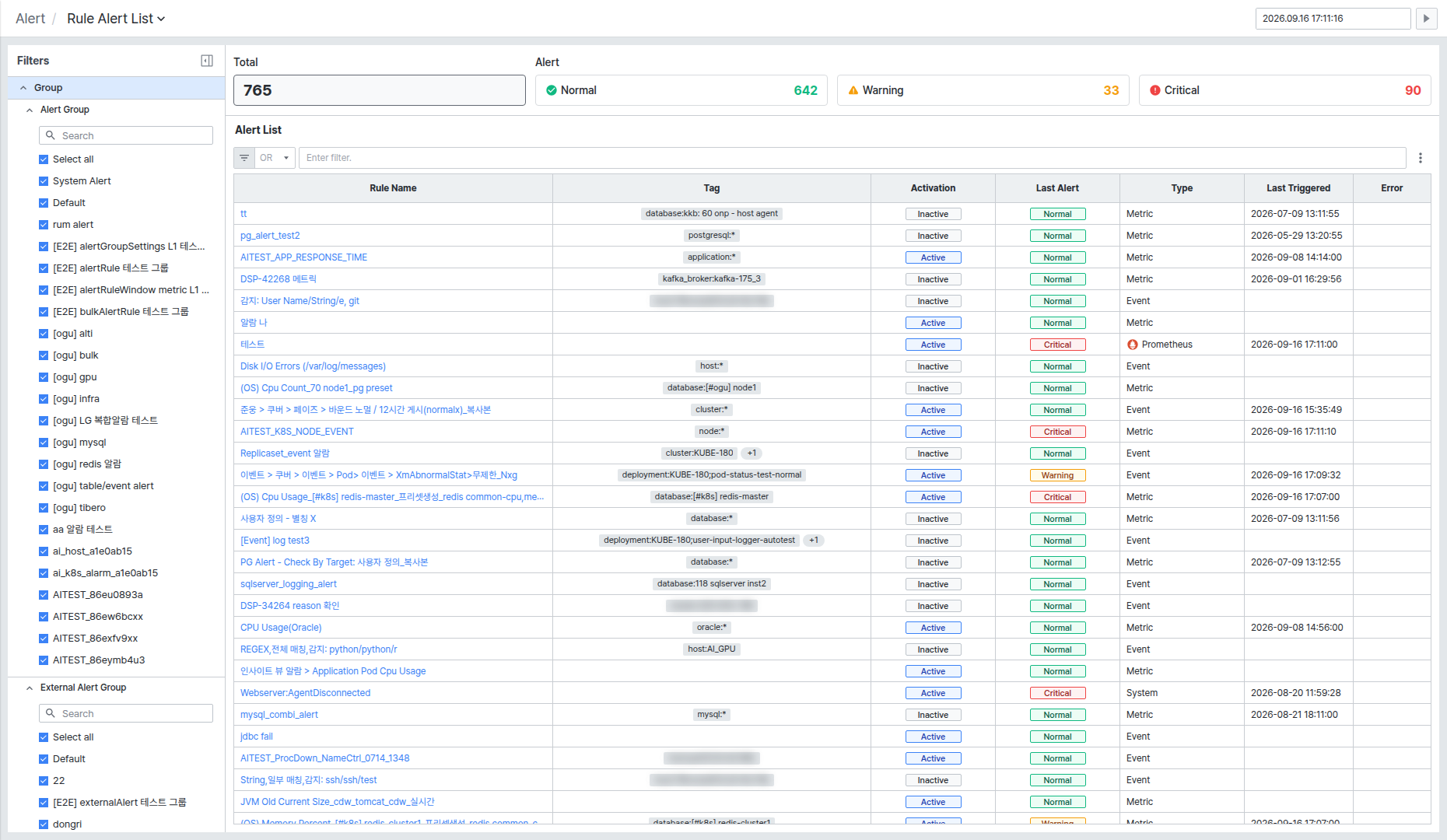
상단에는 전체 룰 수(Total)와 레벨별 개수(Normal/Warning/Critical)가 표시되고, Alert List 그리드에서 Rule Name, Tag, Activation, Last Alert, Type(System Alert는 System으로 표시), Last Triggered, Error를 확인할 수 있습니다.
Rule Name을 클릭하면 우측에 알람 상세 패널이 열립니다.
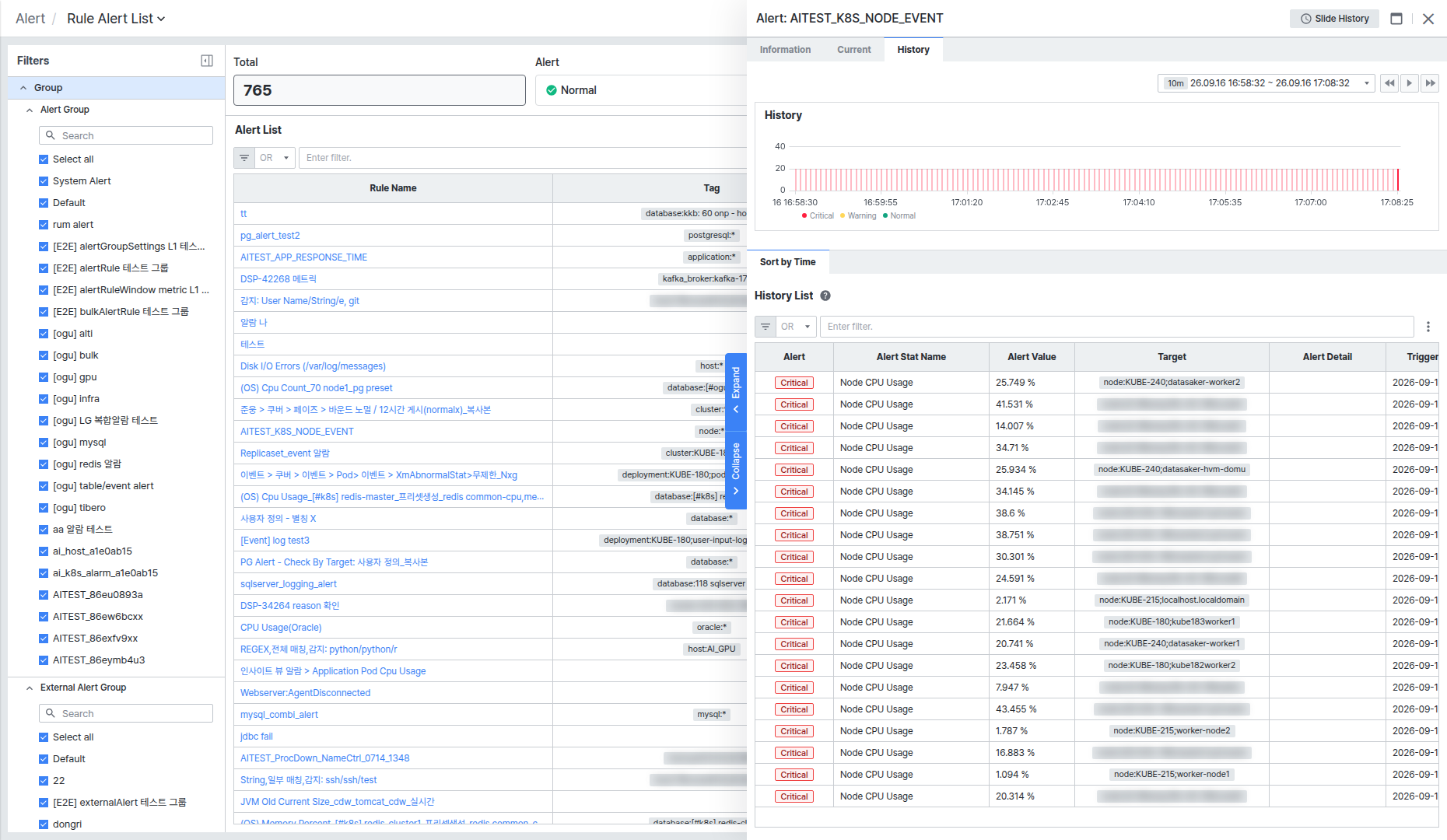
- Information / Current / History 세 탭으로 구성되며, History 탭에서 해당 대상의 발생 이력을 시간대별 차트와 History List(Alert 레벨, Alert Stat Name, Alert Value, Target, Alert Detail, Trigger Time)로 확인할 수 있습니다.
- 우측 상단 [Slide History] 버튼을 클릭하면 슬라이드 형태로 이전/다음 이력을 넘겨볼 수 있습니다.