Webhook
발생한 알림 정보를 Webhook으로 전송하기 위한 설정 화면입니다.
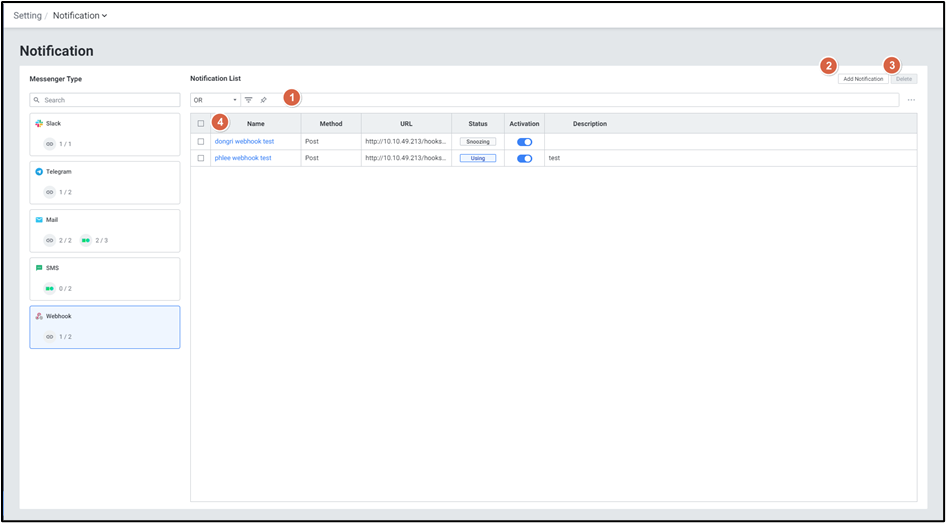
| 순번 | 항목 | 내용 |
|---|---|---|
| 1 | Filter | 필터 조건 따라 Notification 목록을 보여줍니다. Or이나 And 조건으로 선택 가능합니다. |
| 2 | Add Notification | Add Notification 팝업창이 열립니다. |
| 3 | Delete | 선택된 Notification을 삭제합니다. |
| 4 | Notification List | Notification 목록을 보여줍니다. |
● Grid
| 순번 | 항목 | 내용 |
|---|---|---|
| 1 | Name | Notification이름 |
| 2 | URL | Notification이 전송될 Slack 주소 |
| 3 | Status | Notification 적용 상태 ( Using / Snoozing ) |
| 4 | Activation | Notification 활성화 여부 (토글) |
| 5 | Description | 등록된 Notification 상세 설명 |
1) Add Notification
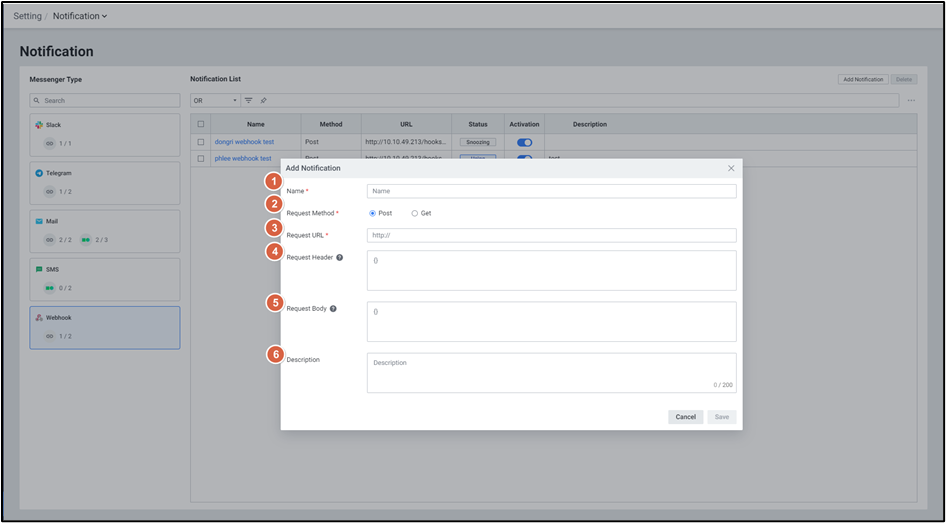
| 순번 | 항목 | 내용 |
|---|---|---|
| 1 | Name | Notification 이름을 설정합니다. |
| 2 | Request Method | Notification 응답 방식을 설정합니다. ( Post / Get ) |
| 3 | Request URL | Notification 응답 URL를 설정합니다. |
| 4 | Request Header | Notification 응답 헤더를 설정합니다. |
| 5 | Request Body | Notification 응답 내용을 설정합니다. |
| 6 | Description | Notification에 대한 상세 설명을 설정합니다. |
Request Header : 웹훅 서비스에서 안내하는 header 를 입력합니다. header는 행(라인) 단위로 구분되며 Key:Value 형식으로 작성합니다. 미 작성 시 웹훅 서비스에 따라 알림이 미 발송될 수 있습니다. Request Body : 웹훅 서비스에서 안내하는 포멧에 맞춰 작성합니다. 엑셈원 알람 변수(파라미터)는 ‘$alert$fixed_content$’입니다. 미 작성 시 웹훅 서비스에 따라 알림이 미 발송될 수 있습니다.
- Alert Parameter
- $alert$title$: Notification > Write Content > Title 내용
- $alert$message$: Notification > Write Content > Message내용
- $alert$rule_name$: 알람 Rule Name
- $alert$trigger_time$: 알람 발생 시간
- $alert$alert_name$: 알람 발생 지표 이름
- $alert$targets$: 알람 대상
- $alert$level$: 알람 발생 레벨(ex. critical, warning...)
- $alert$value$: 알람 발생 값
- $alert$value:{숫자}$ - 입력한 숫자까지 소수점 출력, 0부터 입력 가능
- ex. $alert$value:1$ - 소수점 1자리까지 출력
- $alert$value:{숫자}$ - 입력한 숫자까지 소수점 출력, 0부터 입력 가능
- $alert$fixed_content$: Notification > Write Content 전체 내용
- User Parameter
- $user$user_name$: 수신 사용자 이름
- $user$user_email$: 수신 사용자 메일 주소
- $user$user_phone$: 수신 사용자 휴대폰 번호
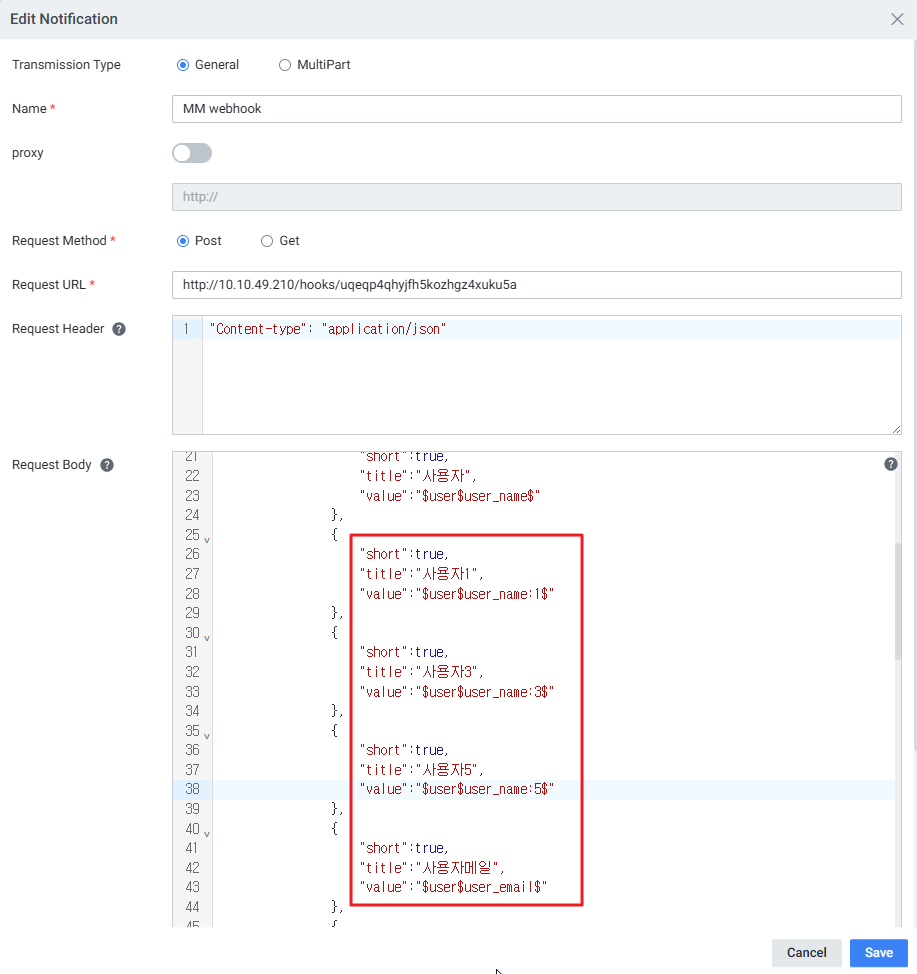
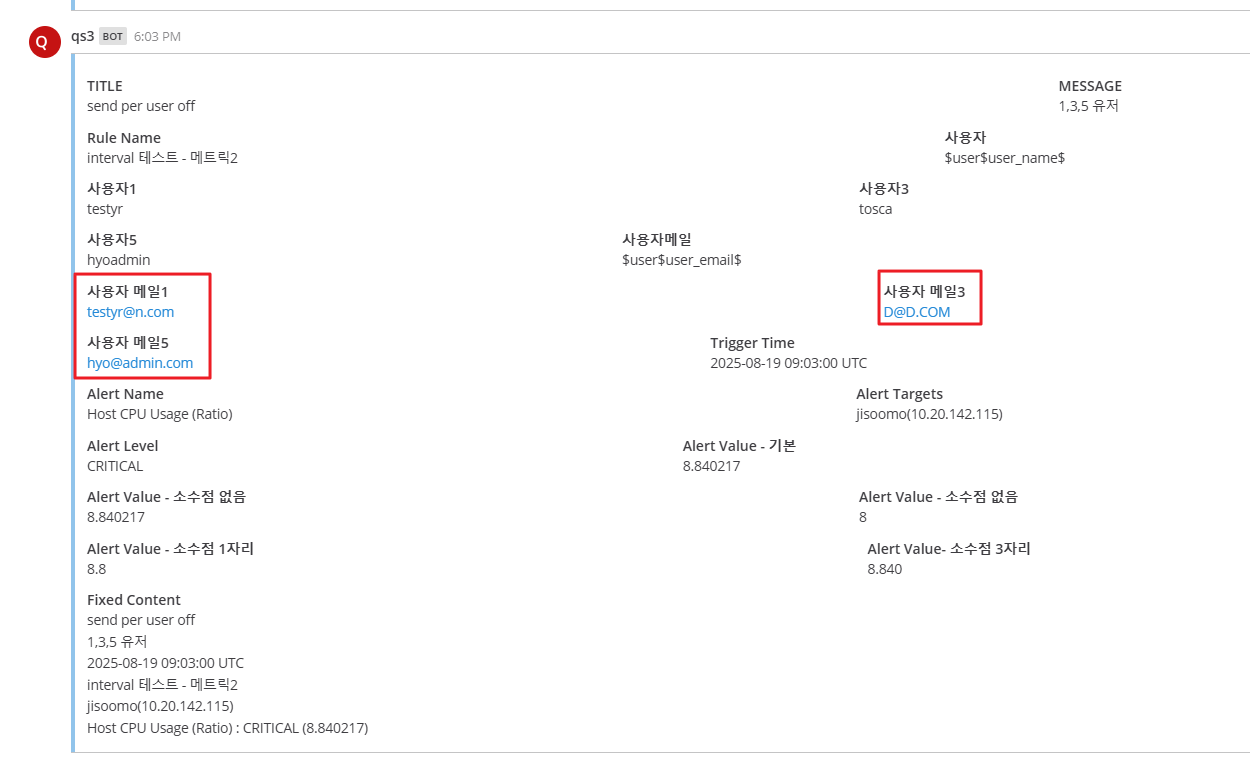
Send per User 옵션 비활성화 시, 개별 사용자 지정하여 메세지 전송 가능합니다.
- $user$user_name:{숫자}$ : Send User Selection 활성화 후, 추가한 사용자 이름 순번
- $user$user_email:{숫자}$ : Send User Selection 활성화 후, 추가한 사용자 메일 순번
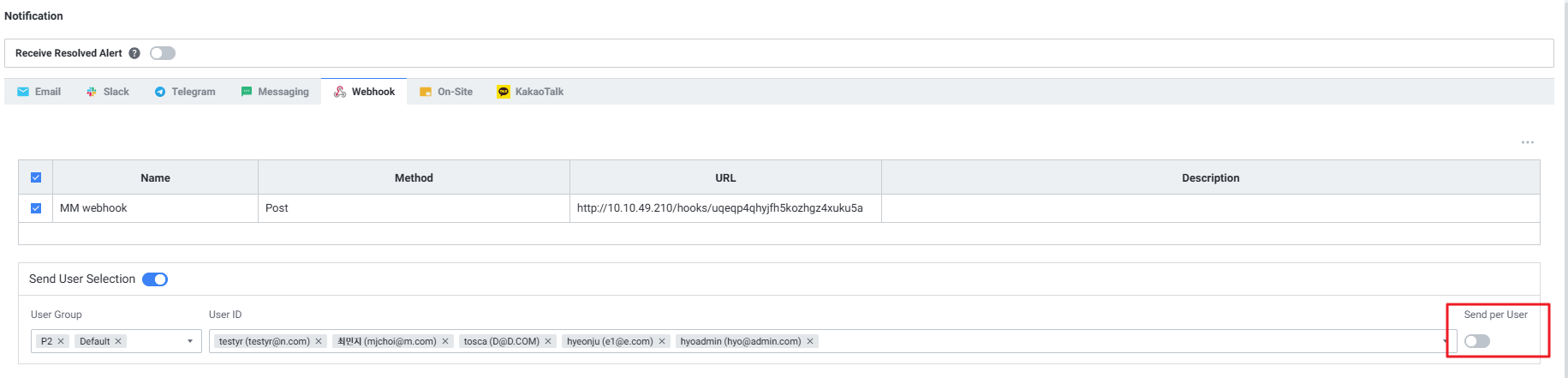
- [예시]
- Alert > Webhook > Notification 설정
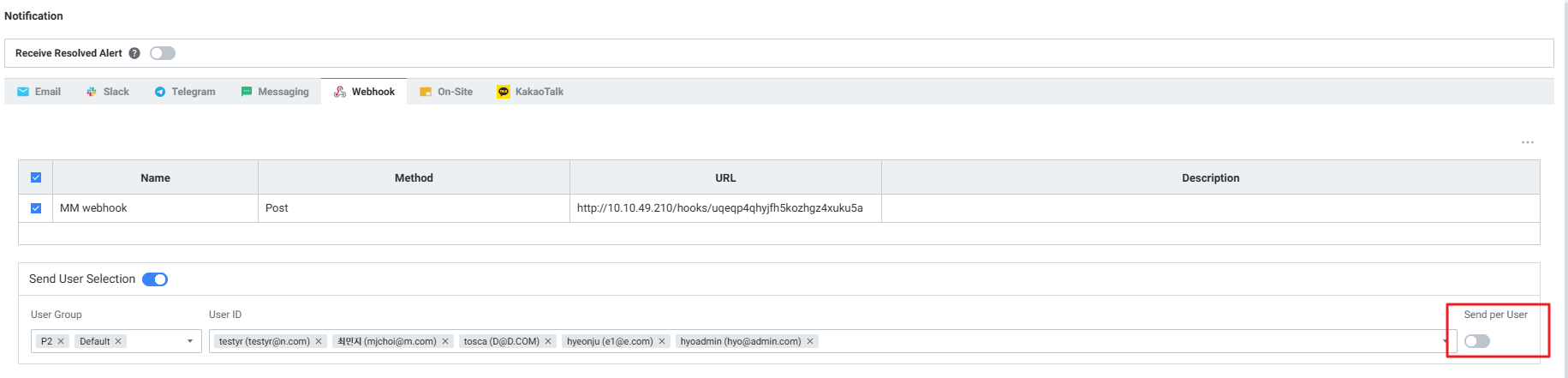
- Webhook > Notification 설정
- 실제 수신한 Webhook 메세지
- Alert > Webhook > Notification 설정
- [예시]
2) Edit Notification
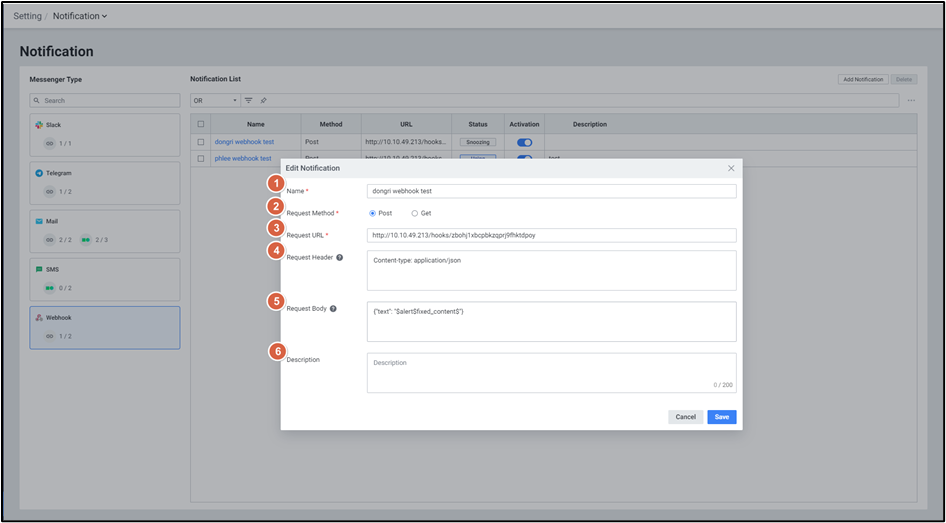
| 순번 | 항목 | 내용 |
|---|---|---|
| 1 | Name | Notification 이름을 수정합니다. |
| 2 | Request Method | Notification 응답 방식을 수정합니다. ( Post / Get ) |
| 3 | Request URL | Notification 응답 URL를 수정합니다. |
| 4 | Request Header | Notification 응답 헤더를 수정합니다. |
| 5 | Request Body | Notification 응답 내용을 수정합니다. |
| 6 | Description | Notification에 대한 상세 설명을 수정합니다. |