Report history
전달된 리포트에 대한 이력을 확인하는 화면입니다.
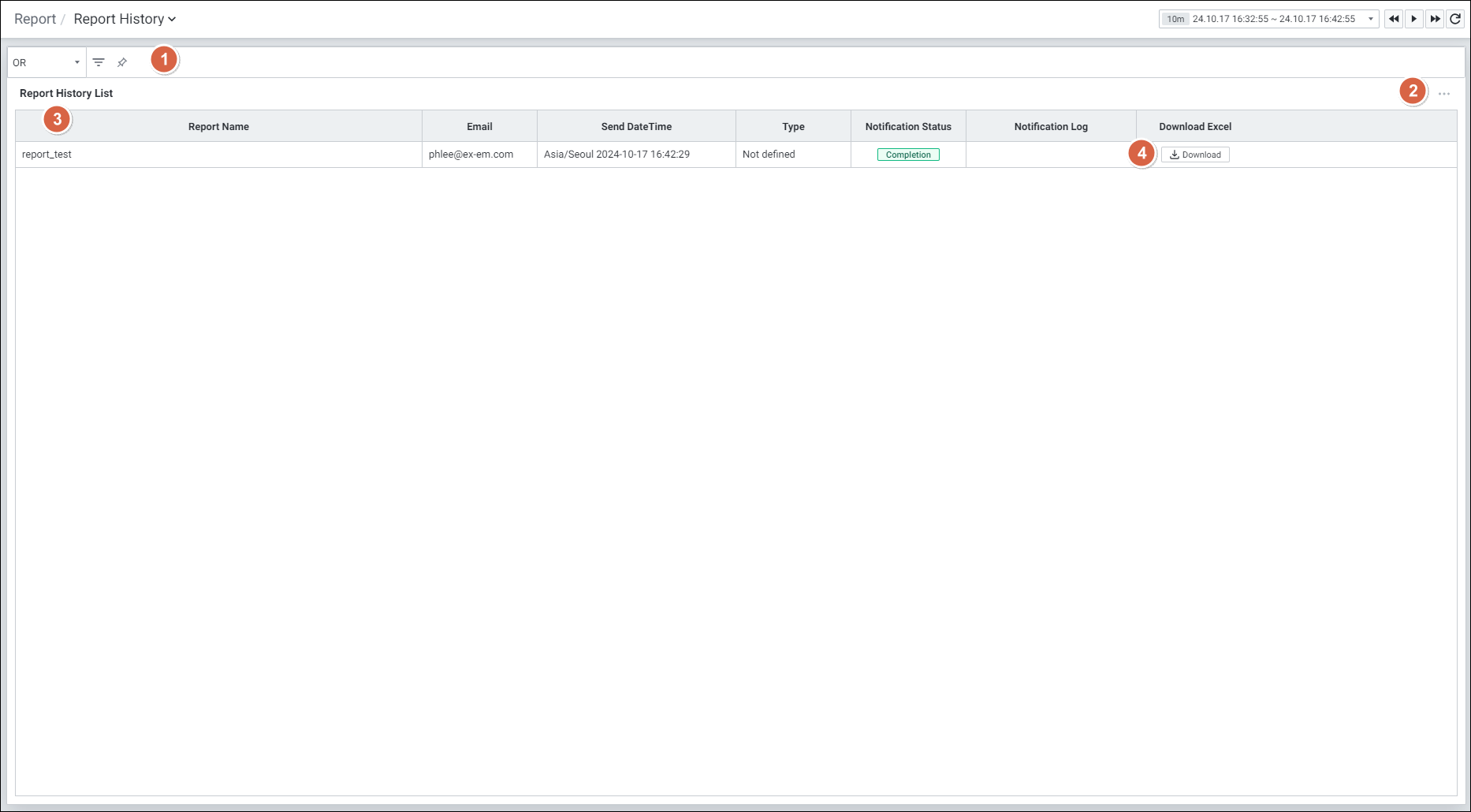
| 순번 | 항목 | 내용 |
|---|---|---|
| 1 | Filters | 필터 조건에 따라 Report History 목록을 보여줍니다. Or 이나 And 조건으로 선택 가능합니다. |
| 2 | Option |  클릭 시 Grid의 옵션을 보여줍니다. 클릭 시 Grid의 옵션을 보여줍니다.13.2 Defalut Monitoring 참고 |
| 3 | Report History List | Report List를 Grid 형태로 보여줍니다. Report Name Send Date Time Type Notification Status Notification Log Download Excel |
| 4 | Download Excel | 전송된 리포트를 엑셀로 다운로드 합니다. |
Grid
| 순번 | 항목 | 내용 |
|---|---|---|
| 1 | Report Name | 리포트 이름 |
| 2 | 리포트 전송 이메일 | |
| 3 | Send Date Time | 리포트 전송 날짜 및 시간 |
| 4 | Type | 리포트 타입 |
| 5 | Notification Status | 리포트 전송 상태 |
| 6 | Notification Log | 리포트 전송 상세 로그 |
| 7 | Download Excel | 리포트 엑셀 다운로드 |